Best GLP-1 apps for iPhone and iOS
Compare these five apps on iPhone, including Apple Health connections, Apple Watch considerations and the iOS-specific features worth checking before subscribing.


Compare apps for doses, food and protein, symptoms, and progress. Start with the job you need help with, then check what works on your phone and what requires a subscription.
Published by GLP AI. This comparison uses published features and store listings, not independent hands-on testing. Tracking apps support your routine and do not replace clinical care.
Consider GLP AI for dose and food tracking with Meal Score feedback and an AI coach. Shotsy is a strong option for shot records and charts. MyFitnessPal offers a familiar food diary, while Cronometer focuses on nutrient detail. MyNetDiary suits people who want a food database with GLP-1 tools.
| App | A good fit for | Platforms | What requires payment |
|---|---|---|---|
| GLP AI | Medication and food logs with Meal Score feedback | iPhoneAndroid | Full AI coach, Meal Score and medication chart |
| Shotsy | Shot history, injection sites and progress charts | iPhoneAndroid | Additional premium tools; check the current offer on your platform |
| MyFitnessPal | A familiar food diary and calorie tracking | iPhoneAndroid | Barcode Scanner, Meal Scan and additional nutrition controls |
| MyNetDiary | Food database and barcode logging with GLP-1 tools | iPhoneAndroid | Medication tracking, Meal Scan and GLP-1 menus |
| Cronometer | Detailed nutrition records | iPhoneAndroid | Gold adds features; check the current plan comparison |
Swipe or scroll the table to compare every column.
Free covers tracking, with a limited try of the AI coach, Meal Score, and medication chart. Premium unlocks the full versions.
Start with what you want to record between shot days. GLP AI combines medication and individual meal logs; Shotsy is worth comparing for medication records and charts. A nutrition app from the five-app shortlist may fit if you already keep your shot history elsewhere.
| Your priority | What to compare |
|---|---|
| Shots, symptoms and weight | Compare GLP AI and Shotsy for recording your prescribed Zepbound routine. Try a shot entry, an injection site, a symptom and a weight entry before choosing. See GLP AI’s Zepbound tracking workflow → |
| Individual meals and protein | GLP AI lets you log a meal, review estimated nutrition and correct the serving or ingredients after saving. Choose this workflow if you want meal records and Meal Score feedback alongside your shot history. Read the food logging instructions → |
| Nutrition totals already in Apple Health | Shotsy’s iPhone listing documents imports of calories, protein and water from Apple Health. That is a different workflow from entering and reviewing individual meals. Check Android nutrition features separately. Check Shotsy’s iPhone listing → |
Both GLP AI and Shotsy offer PDF reports for sharing tracking history. Compare what each report includes; export alone does not distinguish them.
For a closer look at shots, symptoms, weight and meals in one app, see the Zepbound tracker. Check current free and paid access on your phone. A tracker records your prescribed routine; it does not choose your dose or replace your clinician.
Compare these five apps on iPhone, including Apple Health connections, Apple Watch considerations and the iOS-specific features worth checking before subscribing.
Compare Android medication and food trackers, with Health Connect details, Google Play links and platform-specific limits such as Shotsy’s published iOS-only pill tracking.
“Free to download,” an ongoing free tier, and a time-limited trial are different offers. Compare the features you will use every day, then check the upgrade screen for current local pricing.
| App | Published free features | Paid features or limits |
|---|---|---|
| GLP AI | Dose, symptom, weight and meal tracking; limited access to AI features | Full AI coach, Meal Score and medication chart |
| Shotsy | Shot logging, reminders, injection sites, side effects and weight charts | Additional premium tools; check the current offer on your platform |
| MyFitnessPal | Food diary, calorie tracking and food database | Barcode Scanner, Meal Scan and additional nutrition controls |
| MyNetDiary | Food, barcode and protein tracking | Medication tracking, Meal Scan and GLP-1 menus |
| Cronometer | Basic food and nutrition tracking | Gold adds features; check the current plan comparison |
Feature tiers can change. Use the linked official product pages and store listings to verify the offer before subscribing. A free food tracker may still charge for medication logging.
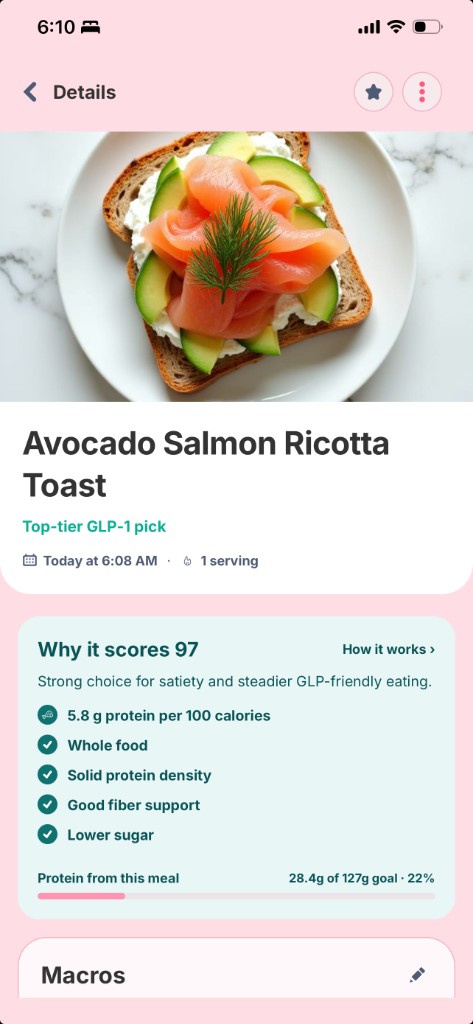
Log shots or pills, injection sites, symptoms, weight and meals together. Review a meal’s estimated nutrition and 0–100 Meal Score, correct the serving or ingredients, then ask the AI coach about your entry.
Meal Score is app-generated feedback, not a medical assessment or a guarantee that a meal meets your individual needs.
No human coaching or community forum. Free covers tracking, with a limited try of the AI coach, Meal Score, and medication chart. Premium unlocks the full versions.
See how Meal Score works · Explore the tracker
Shot history, injection sites and progress charts
Shotsy combines medication records, symptoms and progress charts. On iPhone, it imports nutrition totals including protein from Apple Health; imported totals are different from logging and reviewing individual meals. Its product page identifies pill tracking as an iOS feature.
Before choosing: Check the nutrition workflow and paid features on your phone. iPhone Apple Health imports do not establish how nutrition entry works on Android.
iPhoneAndroidA familiar food diary and calorie tracking
MyFitnessPal is a general nutrition app with a food database and daily calorie records. Compare it if you already use its food diary and want to keep that routine while taking a GLP-1. Check separately for the dose, injection-site and symptom records you need.
Before choosing: Its free food diary is not a complete GLP-1 medication log. MyFitnessPal lists barcode scanning as a Premium feature.
MyFitnessPal free and paid plans
iPhoneAndroidFood database and barcode logging with GLP-1 tools
MyNetDiary brings food search and barcode logging together with GLP-1 nutrition tools. Its published offering includes AI coaching, plus medication tracking and GLP-1 menus in Premium. It is worth comparing if you want to keep a familiar food tracker while adding medication context.
Before choosing: Free food logging does not mean free medication tracking; check the Premium offer for the tools you need.
MyNetDiary GLP-1 features and tiers
iPhoneAndroidDetailed nutrition records
Cronometer focuses on food and nutrient records. Consider it when detailed nutrition logging is your main requirement, and separately verify whether it supports the medication and symptom workflow you need.
Before choosing: A nutrition-focused app may still leave you needing a separate medication log.
iPhoneAndroidLooking for another product? Browse the full app comparison directory.
Record a dose, a meal and a symptom. Choose an app you can comfortably keep using.
Confirm iPhone or Android compatibility and the health or wearable data you want to connect.
Look at the actual upgrade offer, billing period and renewal price on your device.
Read the privacy policy and look for export and account-deletion controls before building a long history.
You do not need every feature. Pick the set that covers your routine, review the app’s privacy policy and data controls, and keep treatment decisions with your clinician.
It depends on your priorities. Compare GLP AI for medication and food tracking with Meal Score feedback, Shotsy for medication records and charts, MyFitnessPal for a familiar food diary, Cronometer for detailed nutrient records, and MyNetDiary for food logging with GLP-1 tools.
GLP AI, Shotsy, MyFitnessPal, Cronometer and MyNetDiary are options to compare on iPhone. Check Apple Health features, compatibility and the free/Premium boundary. Shotsy currently identifies pill tracking as an iOS feature.
Yes. GLP AI, Shotsy, MyFitnessPal, Cronometer and MyNetDiary have Android apps. Check their Google Play listings for device compatibility and platform-specific features. GLP AI’s listing includes Google Health Connect support.
GLP AI and Shotsy publish free core tracking offers. MyFitnessPal and Cronometer offer free nutrition tracking. MyNetDiary offers free food logging, while medication tools require Premium. Free covers tracking, with a limited try of the AI coach, Meal Score, and medication chart. Premium unlocks the full versions.
Several of these apps support more than one GLP-1 medication. Check that the app supports your prescribed medication, schedule and form before entering your history. An app’s dose log is a record of your treatment, not advice to change it.
Not necessarily. GLP AI combines individual meal records with medication tracking. Shotsy’s iPhone app imports nutrition totals from Apple Health, which is different from logging and reviewing individual meals. MyNetDiary also publishes food and medication tools with different subscription limits. Try the food and dose workflow you need on your phone before deciding whether a second app adds value.
The five-app comparison was reviewed September 29, 2026 for published medication and food logging features, platform availability, and free versus paid access. On October 8, 2026, we added the Zepbound decision guide and checked Shotsy’s published free core, iPhone nutrition imports, iOS pill tracking and PDF export. Other competitors’ features and prices were not re-audited for this update.
The shortlist remains GLP AI, Shotsy, MyFitnessPal, Cronometer and MyNetDiary. It includes medication trackers and nutrition-focused options. Picks reflect different jobs, not a numerical ranking.
GLP AI publishes this page. This is a comparison of published features, not a clinical evaluation or an independent benchmark of accuracy, usability or results. Availability, integrations and subscription offers can vary by platform and region.
Free covers tracking, with a limited try of the AI coach, Meal Score, and medication chart. Premium unlocks the full versions.